



1. Introduction
WordPress 6.9, codenamed “Gene,” is the final major release of 2025 and one of the most impactful updates the platform has seen in years. Released on December 2, 2025, this version brings the long-awaited fruits of Gutenberg Phase 3 into the WordPress core, with a sharp focus on three priorities: team collaboration, a more powerful editing experience, and developer-ready tooling for an AI-assisted future.
Whether you are a content writer, a designer assembling sites, a developer building plugins, or an agency managing multiple clients, WordPress 6.9 has something meaningful for you. This guide walks through every major feature, explains its real-world impact, and helps you prepare your site for a smooth upgrade.
2. Release Overview
WordPress 6.9 is the second and final major WordPress release of 2025, following WordPress 6.8, which shipped in April 2025. It marks approximately 7.5 months between major releases, reflecting a deliberate shift in the WordPress community toward fewer but more significant updates.
This version is best understood through three lenses: it is the Collaboration Release (bringing editorial review tools into the editor), it is the Blocks Release (adding six native blocks that replace common plugins), and it is the Developer Release (introducing the Abilities API and improvements that position WordPress for AI-driven workflows). It currently powers over 541 million websites worldwide, representing 43.4% of all sites on the internet.
3. Collaboration Features Of WordPress 6.9
For years, teams working inside WordPress relied on external tools — email threads, Google Docs comments, Slack messages — to review and approve content. WordPress 6.9 changes this fundamentally.
3.1 Block-Level Notes
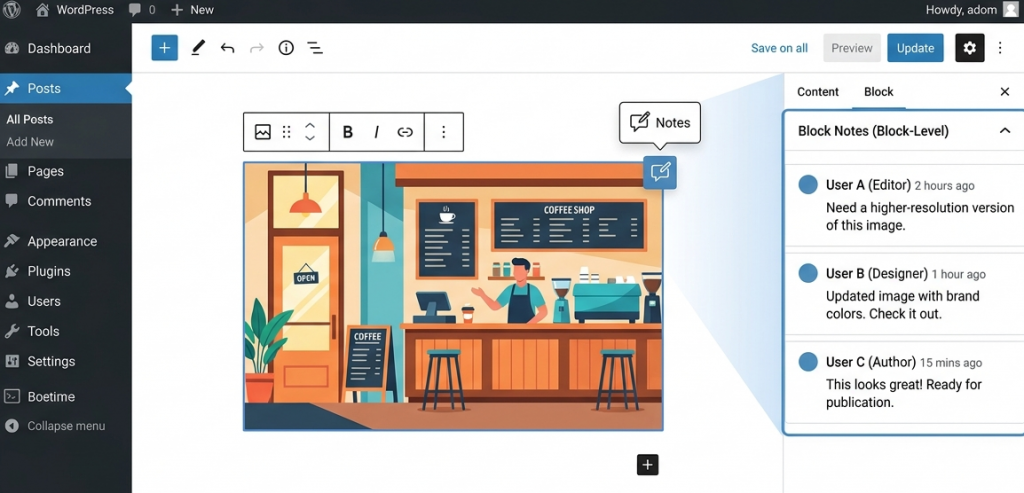
The headline collaboration feature is Block-Level Notes. Teams can now leave feedback directly on individual blocks — think Google Docs comments, but inside WordPress. Notes are threaded and resolvable, meaning you can reply to a comment, mark it as done, and keep a clean record of what was changed and why. Authors automatically receive email alerts when new notes arrive on their content.
This feature is especially valuable for:
- Editorial teams review content before publishing.
- Agencies collecting client feedback without switching tools.
- Post-publication updates, such as adding links or flagging outdated sections.
3.2 Hide and Show Blocks
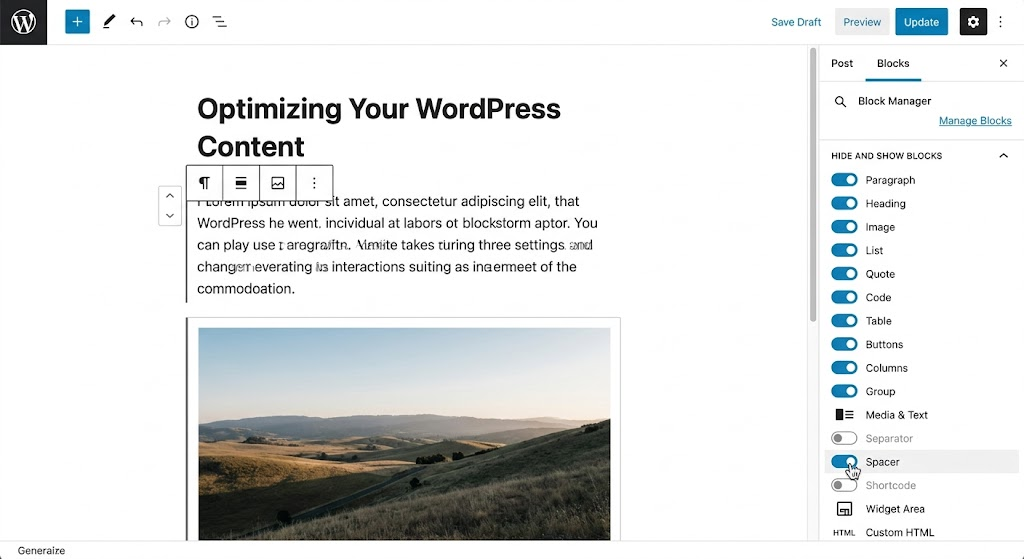
You can now hide any block from the front end without deleting it. A simple three-dot menu option lets you toggle a block between visible and hidden states. When a block is hidden, the layout closes up neatly on the public page, leaving no space. This is perfect for temporarily removing seasonal promotions, staging content for future campaigns, or A/B testing layouts without risking losing work.
3.3 Expanded Command Palette
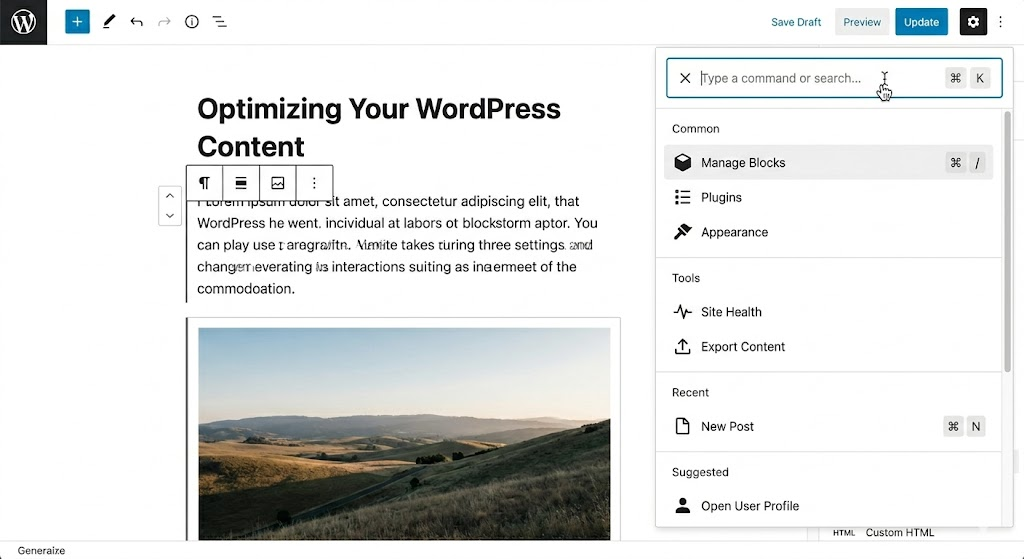
The Command Palette (Ctrl+K on Windows or Cmd+K on Mac) was previously only accessible inside the Site Editor. In 6.9, it has been expanded to work across the entire WordPress dashboard. Power users can now jump to any screen, template, or page in seconds without navigating through menus. Developers can also register custom commands through the new Extensible Commands feature, allowing teams to expose their most-used admin actions directly in the palette.
4. Six New Core Blocks
WordPress 6.9 expands the native block library with six new blocks, eliminating the need for separate plugins for some of the most common content needs. Here is a breakdown of each one.
4.1 Accordion Block
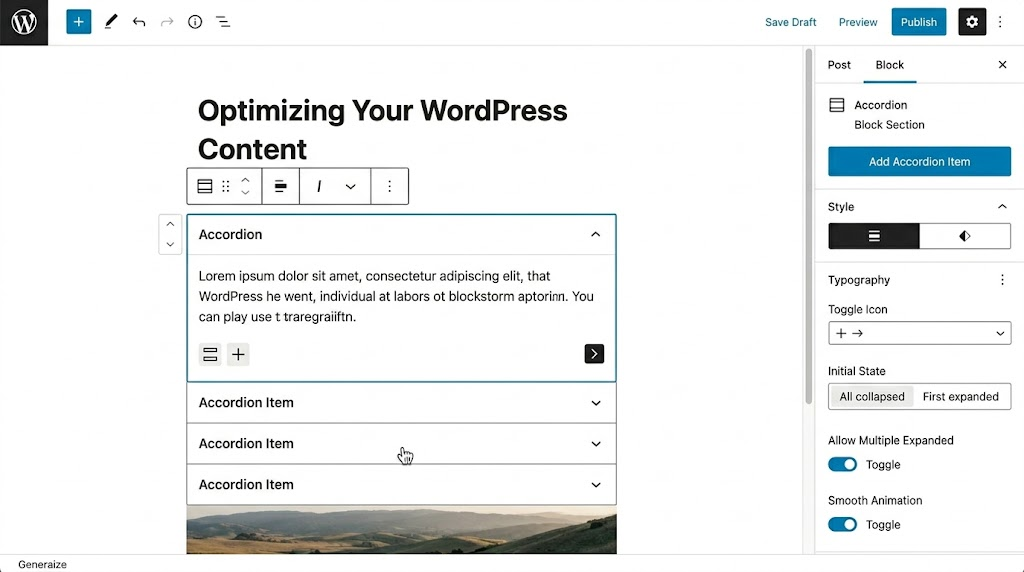
The Accordion block creates collapsible content sections natively, built on the Interactivity API for lightweight performance. It is ideal for FAQ pages, product details, or any content that benefits from progressive disclosure. A notable bonus: the Accordion block supports Anchors, meaning you can link directly to a specific question inside an FAQ section — a significant advantage for SEO and user experience.
4.2 Time to Read Block
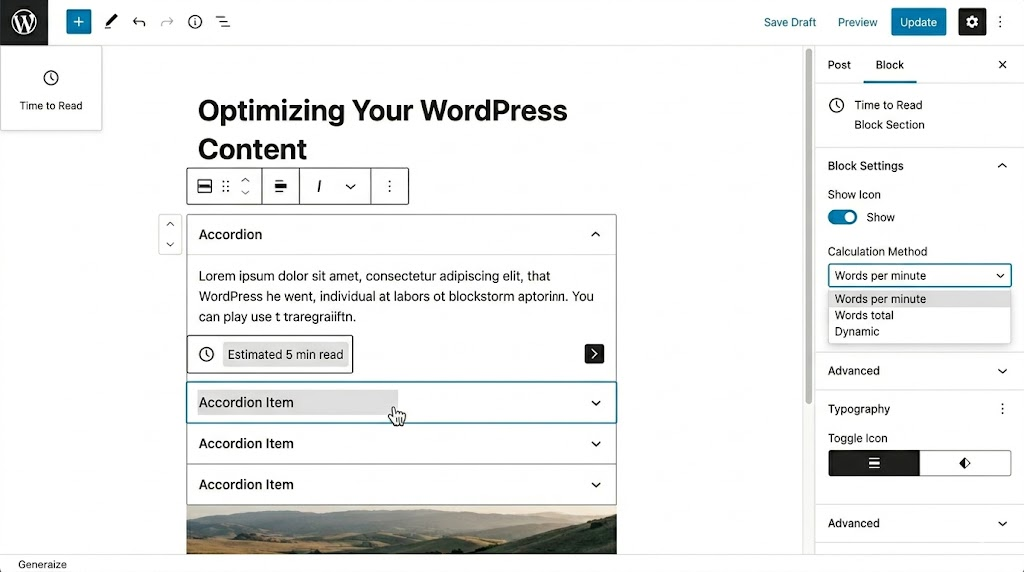
This block automatically calculates and displays the estimated reading time for a post. It updates dynamically as content is added or removed, saving editors the effort of manually updating this figure. Blogs, news sites, and editorial platforms that want to respect their readers’ time will find immediate value here.
4.3 Terms Query Block
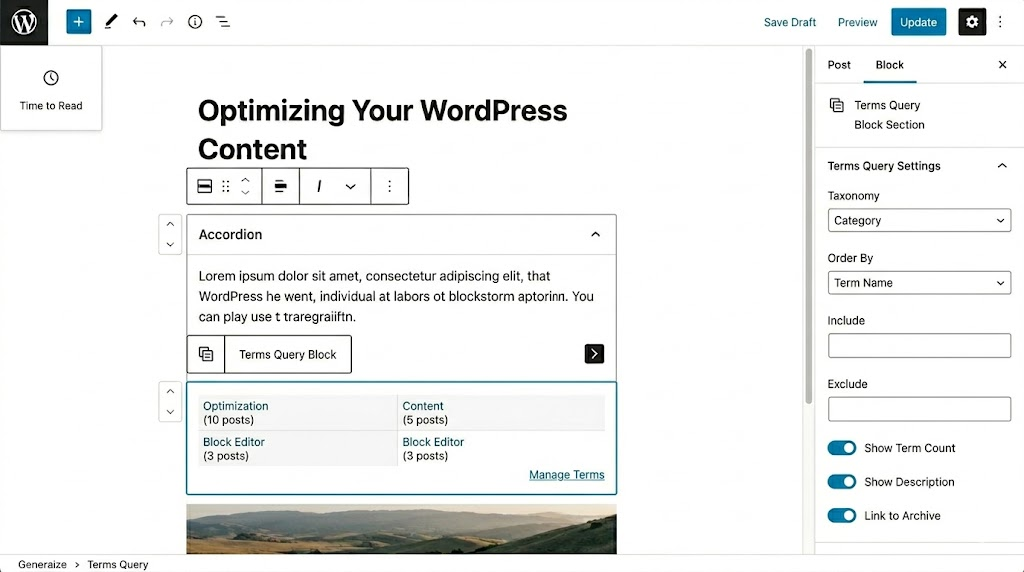
The Terms Query block offers a built-in way to display dynamic lists of categories or tags anywhere on your site. It supports sorting options, full design customization, and a toggle to convert each item into a link. When paired with the Term Description block, it creates a powerful setup for directory-style sites, magazine layouts, or any site using structured taxonomy navigation.
4.4 Math Block
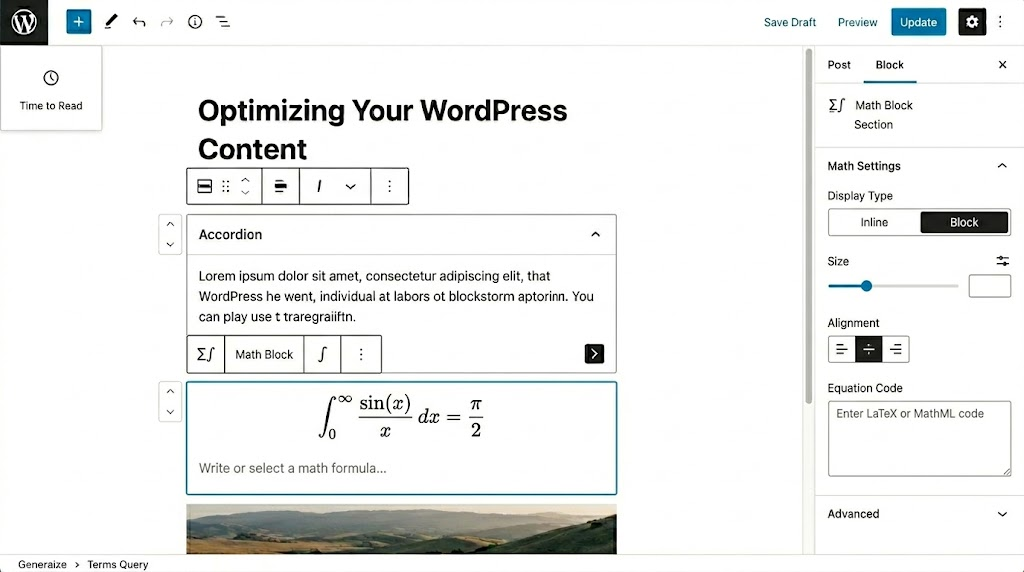
The Math block supports LaTeX and MathML, allowing educational websites, technical blogs, and academic publishers to render beautifully formatted mathematical formulas directly in the editor and on the front end. No plugins, no workarounds — just native support for scientific communication.
4.5 Comment Count Block
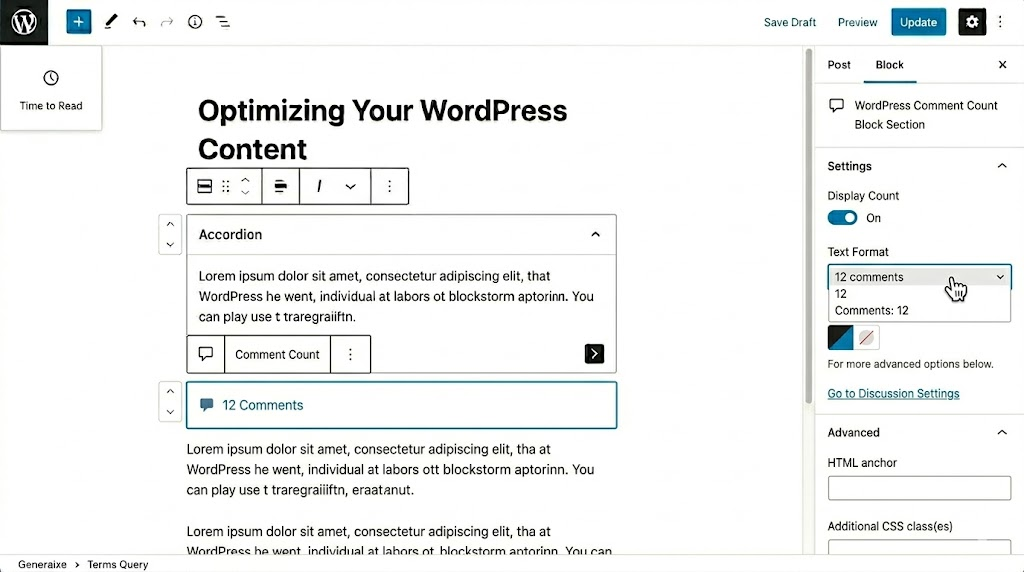
A simple but useful block that displays the total number of comments a post has received. Community-driven blogs and news sites can use this to highlight engagement and encourage participation, making popular posts more immediately visible.
4.6 Comment Link Block
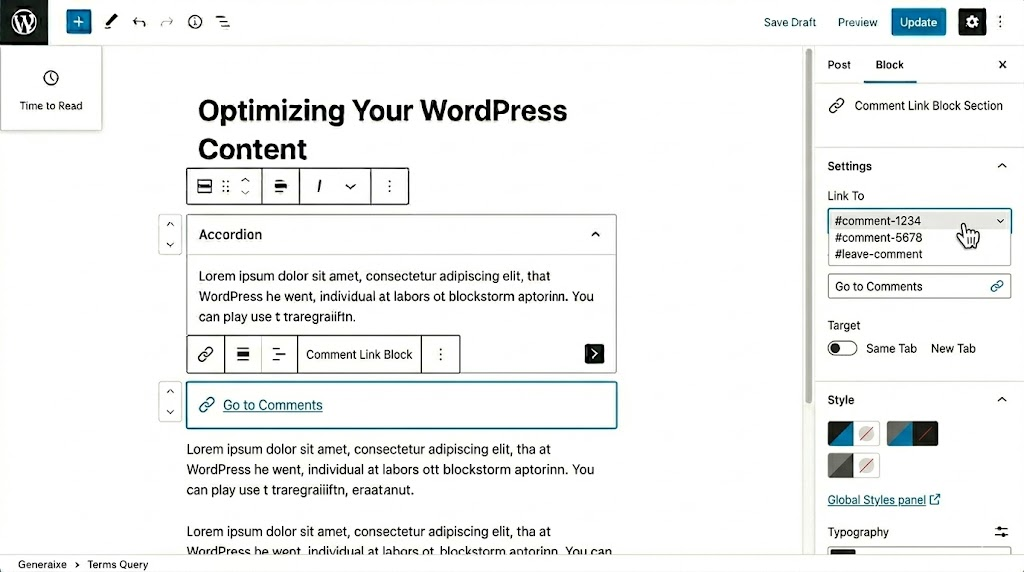
The Comment Link block provides a direct anchor link to a post’s comments section. This is especially useful for custom post templates that guide readers toward community engagement without relying on theme-level code.
5. Editor and Design Improvements
5.1 Fit Text (Stretchy Text)
Heading and Paragraph blocks now support a “Fit Text” option that automatically scales text to fill its container. This makes it effortless to create visually striking hero sections and oversized headers that look polished across all screen sizes, without writing a single line of custom CSS. Designers will find this especially useful for landing pages and editorial layouts.
5.2 Gallery Block Aspect Ratio
The Gallery block now includes an aspect ratio setting that applies a consistent ratio to all images with a single click from the sidebar. This eliminates the ragged, mismatched appearance that often plagues image galleries, producing a clean, professional grid without any manual cropping or custom styling.
5.3 Starter Patterns for All Post Types
Previously, the starter patterns pop-up (which suggests pre-built layouts when creating new content) only appeared when creating Pages. In WordPress 6.9, it now appears for all post types. This makes it significantly faster to apply structured layouts across custom post types, events, portfolios, or any other content structure your site uses.
5.4 Improved Drag and Drop
WordPress 6.9 introduces more intuitive drag-and-drop behavior in the block editor. You can now click and drag blocks directly without needing to locate the small drag handle first. This makes the editor feel more like a true visual page builder, significantly speeding up the layout process for designers building complex pages.
6. Performance Improvements
WordPress 6.9 delivers performance uplifts of approximately 2.8–5.8% over WordPress 6.8. While this may sound incremental, the improvements compound across a site’s entire traffic volume, reducing server load and improving visitor experience at scale. Here is what drives the gains.
6.1 On-Demand Block CSS
WordPress now loads CSS only for the blocks that are actually used on a given page, rather than shipping the entire block stylesheet on every request. This is especially impactful for classic themes, which previously loaded far more CSS than any individual page required.
6.2 Optimized Cron Execution
Background tasks are now scheduled to run after the page has finished loading, rather than during the initial request. This reduces Time to First Byte and improves Core Web Vitals scores across the board, benefiting both user experience and SEO rankings. This thing boosts your SEO strategies and speeds up your site.
6.3 Template Output Buffer and Block Style Optimization
An updated templating system moves block styles into the <head> section of the page and reduces overall CSS output size. Template developers gain finer control over HTML output optimization, resulting in cleaner, leaner pages with faster rendering times.
7. Developer-Focused Updates
7.1 The Abilities API: WordPress Meets AI
The Abilities API is arguably the most significant developer addition in 6.9. It acts as a unified capability registry, allowing WordPress core, plugins, and themes to register their functionality in a machine-readable format. This means AI systems such as Claude, ChatGPT, and Gemini can understand precisely what a specific WordPress site is capable of doing.
When paired with the Model Context Protocol (MCP) Adapter, this creates a bridge between WordPress and AI agents, opening the door to natural language workflows: asking an AI assistant to create a post, update a product description, send a notification, or query custom field data. AI-facing features are not yet visible in the admin interface, but the foundation is now in the core.
7.2 PHP AI Client
A new PHP AI Client makes it easier for plugin developers to add AI features to their work. It supports all major AI providers, manages API credentials centrally, and gives developers the freedom to choose their preferred model without requiring users to configure API keys separately for each plugin.
7.3 Interactivity API Improvements
The Interactivity API, which powers front-end interactivity in blocks like the new Accordion, receives further refinements in 6.9. Developers can now build richer interactive experiences with less boilerplate, and the framework is better documented with expanded real-world examples.
7.4 DataViews and DataForms Updates
Behind the scenes, DataViews gains support for infinite scrolling and locked filters, making custom admin dashboards more powerful. DataForms receives new layout options, including modal panels, card layouts, and row displays, along with asynchronous validation for more responsive, reliable form handling. These changes primarily benefit plugin developers building custom admin interfaces.
7.5 PHP 8.5 Compatibility and Improved Email
WordPress 6.9 is fully compatible with PHP 8.5, ensuring better performance, enhanced security, and long-term support for future releases. Additionally, WordPress emails (password resets, notifications, and receipts) now support inline images, giving transactional emails a more professional appearance.
7.6 Accessibility Improvements
WordPress 6.9 brings meaningful improvements to keyboard navigation, ARIA and screen-reader support, and clearer focus styles throughout the Site Editor. These changes improve compliance with accessibility standards and make the admin experience more inclusive for contributors who rely on assistive technology.
8. How to Upgrade Safely
While WordPress 6.9 is a stable and well-tested release, upgrading to any major version requires care. Follow these steps to avoid disruption.
- Create a complete backup of your site (files and database) before making any changes.
- Test on a staging environment first to verify plugin compatibility and theme support.
- Update all plugins and themes before upgrading WordPress core — outdated plugins are the most common source of issues.
- Run accessibility checks (keyboard navigation, screen reader tests) on key admin tasks after upgrading.
- For e-commerce and booking sites, consider upgrading after peak sales periods to minimize any upgrade-related risk.
- After upgrading, clear all caches and test your site’s key user flows (checkout, contact forms, search).
For managed WordPress hosting users, your host may apply the update automatically. Check your hosting dashboard or contact support to confirm the upgrade timeline and whether a pre-upgrade backup will be created on your behalf.
9. What’s Coming Next: WordPress 7.0
The WordPress community is already in early testing stages for version 7.0, with WordPress 7.0 Beta 2 and Beta 3 already available for testing as of early 2026. The most anticipated feature is real-time, Google Docs-style collaborative editing, allowing multiple users to work on the same post or page simultaneously — the full realization of what the Notes feature in 6.9 begins to hint at.
WordPress 7.0 is also expected to build on the Abilities API foundations laid in 6.9, making AI agent integrations more visible and user-friendly. The refreshed admin interface, which was in early exploration during 6.9’s development, may also land more formally in 7.0.
10. Conclusion
WordPress 6.9 is a meaningful release that closes out 2025 with substance. It solves real, everyday pain points for content teams with Block-Level Notes, expands the native block toolkit so editors need fewer plugins, and gives developers the modern APIs they need to build smarter, AI-ready tools.
The performance gains, accessibility improvements, and PHP 8.5 compatibility ensure that sites running 6.9 are not just more capable but more stable and future-proof. Whether you are a solo blogger or an enterprise agency, the upgrade is worth it.
Back up your site, test on staging, and upgrade with confidence. WordPress 6.9 is ready for you.
Leave a Reply