
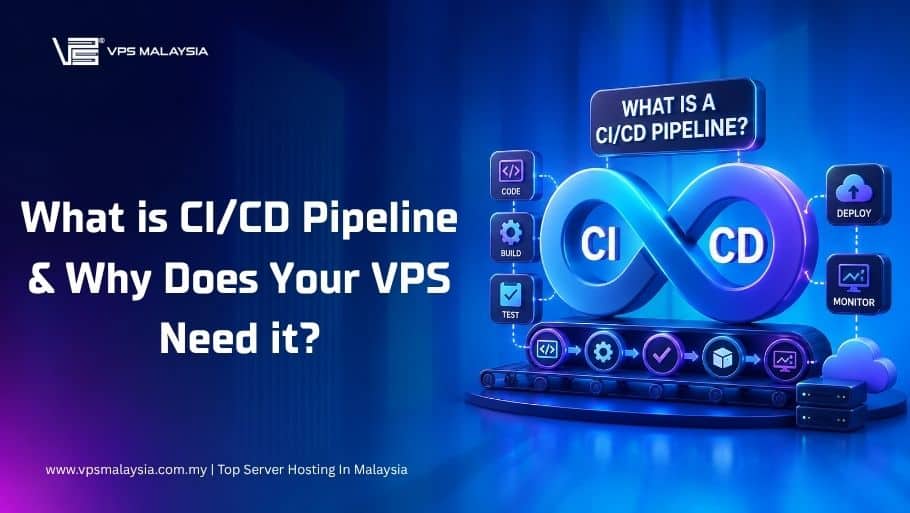



If you’ve spent any time in developer communities, DevOps forums, or job postings over the past few years, you’ve almost certainly encountered the term “CI/CD pipeline.” It gets thrown around constantly — sometimes as a buzzword, sometimes as a genuine prerequisite for a role or project. But for developers managing their own VPS, the concept can feel abstract or even unnecessary. You push code, you SSH in, you pull and restart the server. What’s wrong with that?
Quite a bit, as it turns out. This article breaks down what a CI/CD pipeline actually is, explains each component in plain terms, and makes the case for why even a solo developer running a single VPS stands to benefit enormously from setting one up.
1. The Problem with Manual Deployments
To understand why CI/CD matters, start with what it replaces: the manual deployment process. On a small VPS without any automation, a typical deployment might look like this. You finish a feature on your local machine, push it to GitHub, SSH into your server, navigate to the project directory, run git pull, maybe run a database migration, restart your application process, and hope nothing breaks.
This workflow feels fine at first. It’s simple, it’s direct, and it puts you in control. But it carries a set of risks that compound as your project grows.
The most obvious risk is human error. Every manual step is an opportunity to forget something — running migrations, clearing a cache, updating an environment variable. These mistakes don’t announce themselves. They surface as cryptic errors at 2 AM, when real users are affected and you’re frantically trying to remember what you changed three days ago.
There’s also the problem of untested code reaching production. When you deploy manually, there’s no enforced checkpoint that ensures your tests pass before the code goes live. You might run your test suite locally most of the time, but “most of the time” is not the same as “every time without exception.” Skipped tests slip through. Breaking changes make it to production. Users notice before you do.
Finally, manual deployments don’t scale — not in terms of traffic, but in terms of team size and velocity. The moment a second developer joins your project, the question of who deploys, when, and how, becomes a coordination problem. A CI/CD pipeline resolves all of this by making deployments automated, repeatable, and gated behind a verifiable set of quality checks.
2. What CI/CD Actually Means
CI/CD stands for Continuous Integration and Continuous Delivery (or Continuous Deployment, depending on the context). The two halves address different parts of the development lifecycle, but they’re designed to work together as a single automated workflow.
2.1 Continuous Integration (CI)
Continuous Integration is the practice of automatically building and testing your code every time a change is pushed to a shared repository. The core idea is simple: integration problems are cheapest to fix when they’re caught immediately, before they’ve been buried under layers of subsequent changes.
When a developer pushes a commit or opens a pull request, the CI system springs into action. It checks out the code in a clean, isolated environment, installs dependencies, runs the full test suite, checks for linting or formatting violations, and reports back with a pass or fail result. If something breaks, the developer who introduced the change gets notified immediately while the context is still fresh in their mind.
The “continuous” part is important. This isn’t a weekly review or a pre-release checkpoint — it happens on every push, to every branch, by every developer. Over time, a team running CI builds a culture where broken tests are treated as urgent, because broken tests block the pipeline and slow everyone down.
2.2 Continuous Delivery and Continuous Deployment (CD)
If CI is about keeping the codebase healthy, CD is about making that healthy code available to users quickly and reliably.
Continuous Delivery means that every change that passes CI is automatically prepared for deployment — packaged, staged, and ready to ship with a single click or approval. The deployment itself might still require a human to pull the trigger, but all the preparation is automated.
Continuous Deployment goes one step further: every change that passes CI is deployed to production automatically, with no human intervention required. This sounds aggressive, but when your test coverage is solid and your pipeline is well-designed, it’s a remarkably safe way to operate. Companies like Netflix, GitHub, and Amazon deploy to production dozens or even hundreds of times per day using fully automated pipelines.
For a solo developer running a VPS, the distinction between Delivery and Deployment is largely one of risk tolerance. If you want to review changes before they go live, Continuous Delivery gives you that. If you trust your tests and want zero-friction releases, Continuous Deployment gives you that. Either way, the underlying infrastructure is the same.
3. Anatomy of a CI/CD Pipeline
A pipeline is a sequence of automated stages, each of which must succeed before the next one begins. The exact stages vary by project, but a typical pipeline for a web application running on a VPS looks something like this.
- Source Stage: The pipeline is triggered by an event in your version control system — a push to a branch, a merged pull request, a new tag. This is the starting gun. The pipeline system checks out the exact commit that triggered it and passes it through every subsequent stage.
- Build Stage: The application is compiled or bundled. For a Node.js app, this means running
npm installand perhapsnpm run build. For a Go service, it means compiling a binary. For a Python application, it might mean building a Docker image. The output of this stage is an artifact — a deployable version of your application — that will be used in all subsequent stages. - Test Stage: The artifact is run against your test suite in a clean, isolated environment. Unit tests, integration tests, end-to-end tests — all of them run here, automatically, every time. This stage is the heart of CI. If any test fails, the pipeline stops. Nothing broken moves forward.
- Static Analysis Stage: Many pipelines include a stage for linting, code style checks, dependency vulnerability scanning, or static security analysis. Tools like ESLint, Pylint, Bandit, or Trivy (for container images) can be incorporated here. This is where issues that aren’t caught by tests — insecure coding patterns, deprecated dependencies, style violations — get flagged before they reach production.
- Deploy Stage: If all previous stages pass, the pipeline deploys the application to your VPS. Depending on your setup, this might mean SSHing into the server and running a deployment script, pushing a new Docker image and restarting a container, triggering a webhook, or using a dedicated deployment tool. The deploy stage can be configured to target different environments — a staging server first, production second — with different approval requirements for each.
- Notification Stage: After deployment, the pipeline can send a notification — via email, Slack, or another channel — confirming success or reporting failure. On a failed deploy, you want to know immediately and know exactly which stage failed and why.
4. Why Your VPS Specifically Needs a Pipeline
Managed platforms like Heroku, Render, or Vercel have deployment automation built in. You push code, they handle the rest. A VPS doesn’t come with any of that. You’re responsible for the entire deployment process, which makes the case for a CI/CD pipeline even stronger.
- Consistency Across Every Deploy: A pipeline runs the same steps in the same order every single time. It doesn’t forget to run migrations because it was in a hurry. It doesn’t skip tests because they take a few minutes. Consistency eliminates an entire class of deployment-related bugs that have nothing to do with your code.
- Safe Rollbacks: A well-configured pipeline maintains a history of known-good deployments. If something goes wrong after a release, rolling back is a matter of triggering a previous build rather than scrambling to manually revert changes under pressure.
- Zero-Downtime Deployments: With a pipeline orchestrating the deploy, you can implement strategies like blue-green deployments or rolling restarts that keep your application available while new code is being applied. Without a pipeline, achieving zero-downtime deployment manually is error-prone and tedious.
- Security Gate: The static analysis and dependency scanning stages mean that known vulnerabilities in your dependencies get caught before they ever land on a production server. On a public-facing VPS, this is not a nice-to-have — it’s a meaningful layer of defense.
- Audit Trail: Every pipeline run is logged. You can see exactly what was deployed, when it was deployed, which commit triggered it, and who authored that commit. When something goes wrong — and something always eventually goes wrong — this audit trail is invaluable for diagnosis.
5. Getting Started: Tools to Consider
The good news is that setting up a basic CI/CD pipeline for a VPS project doesn’t require a dedicated DevOps team or enterprise tooling. Several free or low-cost options are well-suited to the task.
- GitHub Actions is the most accessible entry point for most developers. If your code is already on GitHub, you can define a pipeline entirely in YAML files committed to your repository, with no external services required. GitHub provides free compute minutes for public repositories and a generous free tier for private ones. A complete CI/CD workflow targeting a VPS — run tests, build a Docker image, SSH and deploy — can be configured in under 100 lines of YAML.
- GitLab CI/CD is a strong alternative, particularly if you’re self-hosting GitLab or prefer an all-in-one platform. GitLab’s CI configuration is similarly YAML-based and supports a broad ecosystem of integrations.
- Woodpecker CI and Drone CI are lightweight, self-hostable options that can run directly on your VPS. They’re worth considering if you prefer to keep your entire toolchain on infrastructure you control.
- Jenkins is the veteran of the space — powerful, extensible, and battle-tested. It comes with a steeper configuration curve than the newer options, but for complex pipelines with bespoke requirements, it remains a robust choice.
For most developers starting out, GitHub Actions is the path of least resistance. The documentation is excellent, the community has published reusable action components for almost every common task, and the tight integration with GitHub’s pull request workflow makes the pipeline feel like a natural extension of your development process rather than a separate system to maintain.
6. A Realistic Starting Point
You don’t need to implement a perfect, multi-environment, blue-green deployment pipeline on day one. A useful first pipeline for a VPS project has three stages: run tests on every push, build a deployable artifact when tests pass, and deploy to the VPS when a commit lands on the main branch. That’s it. Even this minimal setup eliminates untested deployments, automates the tedious SSH-and-pull routine, and gives you a foundation to build on.
From there, you add what the project actually needs — staging environments, rollback logic, security scanning, deployment notifications — as those needs become real rather than theoretical.
7. Final Thoughts
A CI/CD pipeline is not infrastructure reserved for large teams or enterprise applications. It is, at its core, a set of automated guardrails that make the act of shipping software faster, safer, and more reliable. For a developer running a VPS — managing their own server, deploying their own code, and absorbing the full impact of their own mistakes — those guardrails are arguably more valuable, not less, than they are in a team environment.
The question isn’t really whether your VPS needs a CI/CD pipeline. It’s how long you want to keep deploying without one.
Leave a Reply