Introduction: Patch First, Read Later
If you run PHP on a public server, stop and check it today. PHP2Shell is a pair of critical PHP flaws that let an unauthenticated attacker run code on your server, and attacks started within a day of the patch. CISA added both CVEs to its Known Exploited Vulnerabilities (KEV) catalog on 26 October 2026.
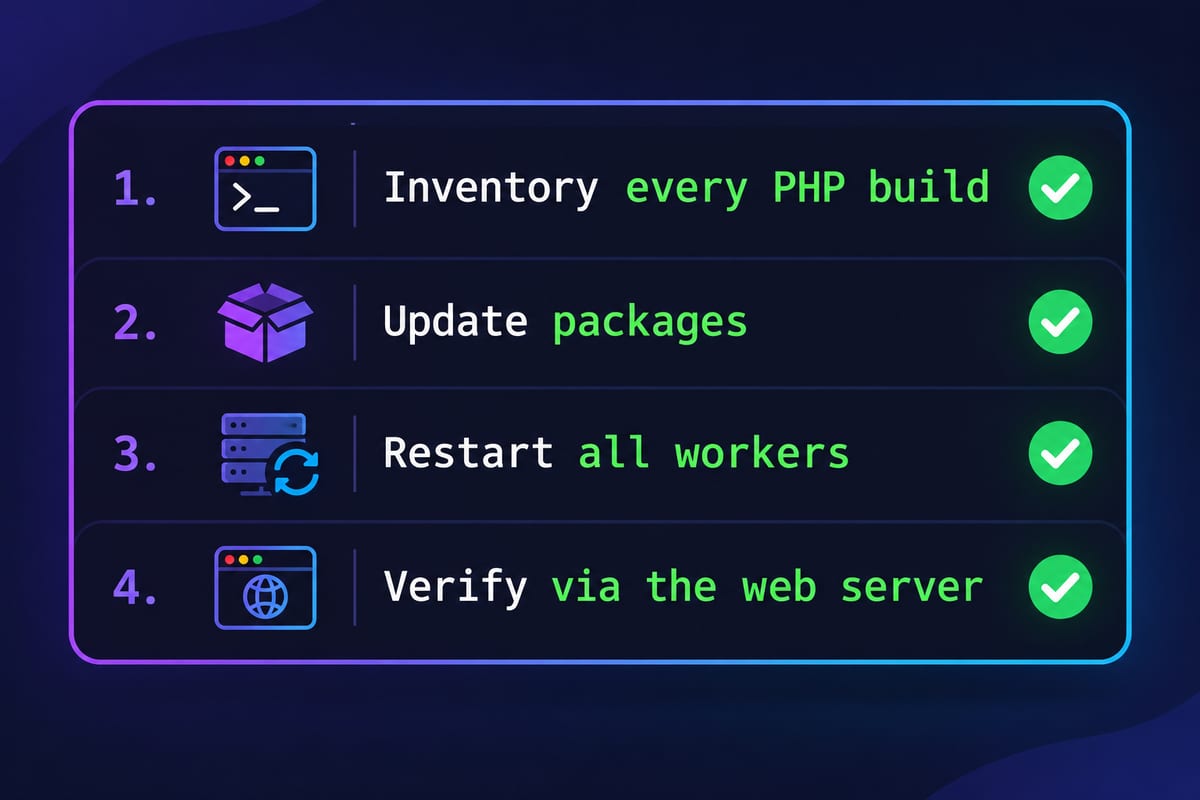
This guide is the short path: confirm which PHP actually serves your sites, update it, restart every worker, verify, and look for signs that someone got in first.
What Is PHP2Shell?
PHP2Shell is the name for two PHP core vulnerabilities, CVE-2026-109618 and CVE-2026-109619, that can allow unauthenticated remote code execution on any PHP installation serving web requests. Both are rated CVSS v4.0 9.2 (Critical) in PHP's security advisories.
| CVE-2026-109618 | CVE-2026-109619 | |
|---|---|---|
| Bug type | Memory corruption after an out-of-memory error during request handling | Use-after-free: stale request state is reused by a later operation on the same worker |
| Typical trigger | Crafted multipart (upload) requests, for example with huge header counts or deeply nested field names | Session upload progress handling, the default-on session.upload_progress feature |
| Advisory | GHSA-w8hw-w9fx-j79w | GHSA-6wmf-4rv5-p3rp |
| Authentication needed | None | None |
Which setups are at risk? Every PHP install that serves web traffic: PHP-FPM, Apache mod_php, php-cgi, LiteSpeed and FrankenPHP. Researchers at watchTowr rate Apache mod_php as the most urgent, because an attack can succeed before any of your application's own code has run. The PHP CLI used for cron jobs and scripts does not serve web requests, but it is often a different build, which is exactly why version checks go wrong (see the audit below). Wiz Research's write-up and Akamai's analysis cover the technical detail.
Timeline
- 20 Oct 2026: details leak on social media ahead of the planned 22 October disclosure.
- 21 Oct 2026, 14:00 UTC: PHP ships emergency releases; Ubuntu publishes USN-8948-1.
- 21 Oct 2026 onward: watchTowr observes exploitation in the wild; proof-of-concept scripts spread quickly on GitHub.
- 26 Oct 2026: CISA adds both CVEs to the KEV catalog.
Which PHP Versions Are Affected?
Every PHP release before 8.2.35, 8.3.36, 8.4.27 and 8.5.12 is affected, including all of PHP 8.1, 8.0, 7.x and 5.x. Only these upstream releases fix both flaws:
| PHP branch | Vulnerable | Fixed upstream version |
|---|---|---|
| 8.5 | below 8.5.12 | 8.5.12 |
| 8.4 | below 8.4.27 | 8.4.27 |
| 8.3 | below 8.3.36 | 8.3.36 |
| 8.2 | below 8.2.35 | 8.2.35 |
| 8.1, 8.0, 7.4 | all | No upstream release; use a vendor backport or upgrade |
| 7.3 and older | all | No fix; upgrade or use a paid extended-support build |
Distro packages keep their old version numbers. Ubuntu 24.04 reports PHP 8.3.6 even when patched, because the fix is backported. Always check the full package version against your vendor's advisory, not the upstream number.
How to Audit Your Server for PHP2Shell
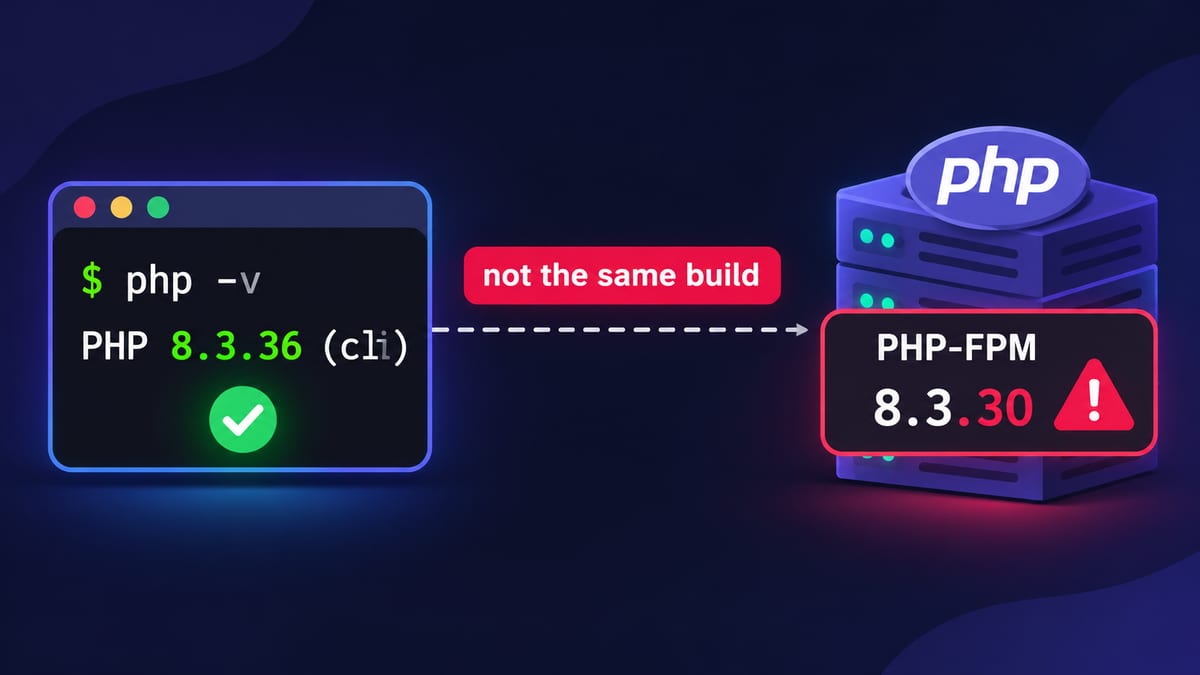
To check if your VPS is exposed, find every PHP build on the server, identify the one(s) actually serving web requests, and compare each package version with your vendor's fixed version. Running php -v alone is not enough: it shows the CLI, which is often a different build from PHP-FPM or mod_php. Run the commands below over an SSH session as a user with sudo rights.
Step 1: List every PHP build on the server
ls -1 /usr/bin/php* /usr/sbin/php-fpm* \
      /opt/remi/*/root/usr/bin/php /opt/cpanel/ea-php*/root/usr/bin/php \
      /opt/alt/php*/usr/bin/php /opt/plesk/php/*/bin/php 2>/dev/null
Servers with control panels or multiple PHP versions commonly have five or more builds. Each one that any site uses needs patching.
Step 2: Check PHP version CLI vs FPM vs mod_php
php -v                                   # CLI only
ps -eo user,cmd | grep -E 'php-fpm|php-cgi|lsphp' | grep -v grep   # running web workers
php-fpm8.3 -v 2>/dev/null || php-fpm -v  # FPM binary (Debian/Ubuntu name first, then RHEL)
apachectl -M 2>/dev/null | grep -i php   # loaded php_module = mod_php is in use
If apachectl -M lists a PHP module, you are running mod_php, the highest-risk setup. Patch that host first.
The most reliable check asks the web server itself. Create a temporary file with a random name, read it once, then delete it:
F=/var/www/html/chk-$(openssl rand -hex 8).php
echo '<?php echo PHP_VERSION, " ", PHP_SAPI, " upload_progress=", ini_get("session.upload_progress.enabled");' | sudo tee "$F" >/dev/null
curl -s "http://localhost/$(basename "$F")"; echo
sudo rm -f "$F"
Repeat for each virtual host or PHP pool that uses a different version.
Step 3: Check the package version, not just the PHP number
# Debian / Ubuntu
dpkg -l | awk '/^ii/ && /php[0-9.]+-(fpm|cli|common)|libapache2-mod-php/ {print $2, $3}'
zgrep -m1 CVE-2026-109618 /usr/share/doc/php8.3-common/changelog.Debian.gz

# RHEL, AlmaLinux, Rocky, CloudLinux, cPanel
rpm -qa | grep -E '^(php|ea-php|alt-php)' | sort
rpm -q --changelog php-fpm | grep -m1 -E 'CVE-2026-10961(8|9)'
A changelog line that names the CVE means the fix is in, even if the version still reads 8.1 or 8.3. No output means you are not patched yet.
Step 4: Look for signs of compromise
Attacks began within a day of the patch, so a server patched on 25 October may already have been hit. Check:
# PHP workers crashing (failed exploit attempts often segfault)
grep -E 'SIGSEGV|Segmentation fault' /var/log/php*-fpm.log /var/log/apache2/error.log /var/log/httpd/error_log 2>/dev/null | tail

# PHP files created or changed since the leak
find /var/www /home/*/public_html -type f -name '*.php' -newermt '2026-10-20' 2>/dev/null

# Common web shell patterns
grep -rlE 'eval\(base64_decode|assert\(\$_(GET|POST|REQUEST)|system\(\$_(GET|POST|REQUEST)' /var/www /home/*/public_html 2>/dev/null

# Unexpected outbound connections from the web user
sudo ss -tpn | grep -E 'php|www-data|apache|nginx'
Also review new cron jobs (crontab -l -u www-data), new SSH keys and new system users. In access logs, look for bursts of multipart POST requests to upload endpoints, especially ones that end in 500 errors. On WordPress sites, a malware scan adds a second opinion. If you find a web shell, treat the server as compromised: isolate it, rotate every secret it held, and rebuild from a clean image rather than cleaning in place.
How to Fix PHP2Shell on Your VPS
The only complete fix is updating PHP to a patched build and then restarting every PHP worker. Configuration changes reduce risk but do not close the hole.
Ubuntu and Debian
sudo apt update
sudo apt install --only-upgrade $(dpkg -l | awk '/^ii/ && $2 ~ /^(php|libapache2-mod-php)/ {print $2}')
Fixed package versions from the Ubuntu and Debian security trackers:
| Distribution | Package | Fixed version | Advisory |
|---|---|---|---|
| Ubuntu 26.04 LTS | php8.5 | 8.5.4-0ubuntu1.5 | USN-8948 |
| Ubuntu 24.04 LTS | php8.3 | 8.3.6-0ubuntu0.24.04.13 | USN-8948 |
| Ubuntu 22.04 LTS | php8.1 | 8.1.2-1ubuntu2.28 | USN-8948 |
| Debian 13 (trixie) | php8.4 | 8.4.27-1~deb13u1 | DSA-6574-1 |
| Debian 12 (bookworm) | php8.2 | 8.2.35-1~deb12u1 | DLA-4848-1 |
If you use a third-party repository (for example the Ondřej Surý PPA or sury.org), confirm it now ships at least 8.2.35, 8.3.36, 8.4.27 or 8.5.12 for your branch.
RHEL, AlmaLinux and Rocky Linux
sudo dnf clean all && sudo dnf upgrade 'php*'
rpm -q --changelog php-fpm | grep -m1 -E 'CVE-2026-10961(8|9)'
If you use Remi's repository for newer PHP versions, the same dnf upgrade pulls the upstream fixed releases. For the distribution's own AppStream PHP, check your vendor's errata before assuming a fix is out.
cPanel / WHM and CloudLinux
# EasyApache 4 PHP (AlmaLinux, Rocky, CloudLinux 8+)
dnf clean all && dnf upgrade 'ea-php*'
# CloudLinux alt-php
dnf clean all && dnf upgrade 'alt-php*'
# Verify a backported branch, e.g. PHP 8.1
rpm -q --changelog ea-php81-php-cli | grep -m1 CVE-2026-109618
cPanel shipped the upstream fixes for ea-php82 to ea-php85 and backports for ea-php74, ea-php80 and ea-php81 (8.1.34-5), as summarised here. Admins have reported that /scripts/upcp --security updated cPanel's own PHP but not the EasyApache packages, and CloudLinux notes that security-only updates such as yum --security do not list them, so use the plain upgrade commands above. On CentOS 7 or CloudLinux 7, use yum update instead of dnf upgrade. New to WHM? Our cPanel guide covers the basics.
Plesk and Docker
- Plesk: install Plesk's PHP updates and follow Plesk's PHP2Shell advisory for your PHP handlers.
- Docker: rebuild from an updated base image and redeploy (see our guide to containerizing and deploying apps). Pulling a new tag does nothing for containers already running.
docker compose build --pull --no-cache && docker compose up -dRestart every PHP worker
An update on disk does not patch running processes. Restart all of them:
sudo systemctl restart 'php*-fpm.service'   # every PHP-FPM version (Debian/Ubuntu naming)
sudo systemctl restart php-fpm              # RHEL family
sudo systemctl restart apache2              # if Apache runs mod_php (httpd on RHEL)
/scripts/restartsrv_apache_php_fpm && /scripts/restartsrv_httpd   # cPanel
Run only the lines that match your server; a restart of a service you do not have just reports an error.
If you cannot patch today
These settings from the published mitigation guidance reduce exposure until you can update. They are not a fix.
- Set
session.upload_progress.enabled = 0in the main php.ini or FPM pool config, then restart workers. Do not rely onini_set()or.user.ini. - Keep
post_max_sizesmall (8M if the site takes no uploads, 32M if it does) and enforce request-size limits at Nginx or Apache (see our web server comparison and Nginx reverse proxy guide). - Block
multipart/form-dataat the proxy for sites that never accept uploads. - On PHP 8.5, set
fatal_error_backtraces = 0. - Restrict public access to servers that cannot be updated, or move them behind a VPN.
How Do I Check If My VPS Is Patched?
Your VPS is patched when the PHP build serving web requests reports a fixed version (or a vendor changelog entry for both CVEs) and no PHP process is still running the old binary. Verify all three:
- Web-served version. Re-run the temporary-file check from Step 2. It should show 8.2.35+, 8.3.36+, 8.4.27+ or 8.5.12+, or a distro build whose changelog names CVE-2026-109618 and CVE-2026-109619.
- No stale workers. Processes started before the update still map the old library. This should print nothing:
sudo lsof -nP 2>/dev/null | awk '$4=="DEL" && /php/' | head- Every pool and version. Repeat for each PHP version a site uses, including old ones kept for a single legacy app.
Harden after patching
- Leave PHP 8.1 and older. Without upstream releases, you depend on backports for every future bug. Plan the move to 8.3 or newer.
- Prefer PHP-FPM over mod_php. FPM isolates PHP from the web server and lets you run each site's pool as its own user.
- Disable upload progress where unused.
session.upload_progress.enabled = 0removes one attack path permanently for sites that do not show upload progress bars. - Enable automatic security updates for PHP packages (
unattended-upgradeson Debian/Ubuntu,dnf-automaticon the RHEL family). - Monitor for crashes and new files. File-integrity monitoring and log rules in tools such as Wazuh can alert on new PHP files in web roots and PHP worker segfaults.
- Put an edge filter in front. A WAF or DDoS-filtered network can absorb exploit scanning, but it complements patching rather than replacing it.
Running sites on a Linux KVM VPS or a cPanel VPS means you control the PHP versions yourself, so keep this checklist for the next advisory too.
Sources
- PHP: GHSA-w8hw-w9fx-j79w (CVE-2026-109618)
- PHP: GHSA-6wmf-4rv5-p3rp (CVE-2026-109619)
- Qualys: PHP2Shell – Find, Mitigate, and Patch Now
- watchTowr: CVE-2026-109618 FAQ
- Akamai: Understanding PHP2Shell
- Wiz Research: PHP2Shell
- CISA: Two Known Exploited Vulnerabilities added (26 Oct 2026)
- Ubuntu: CVE-2026-109618
- Debian security tracker: CVE-2026-109618
- ComputingForGeeks: Patch PHP2Shell on cPanel/WHM